Introducing NMFC Auto-Suggest: Smarter Freight Classification for LTL Shipments
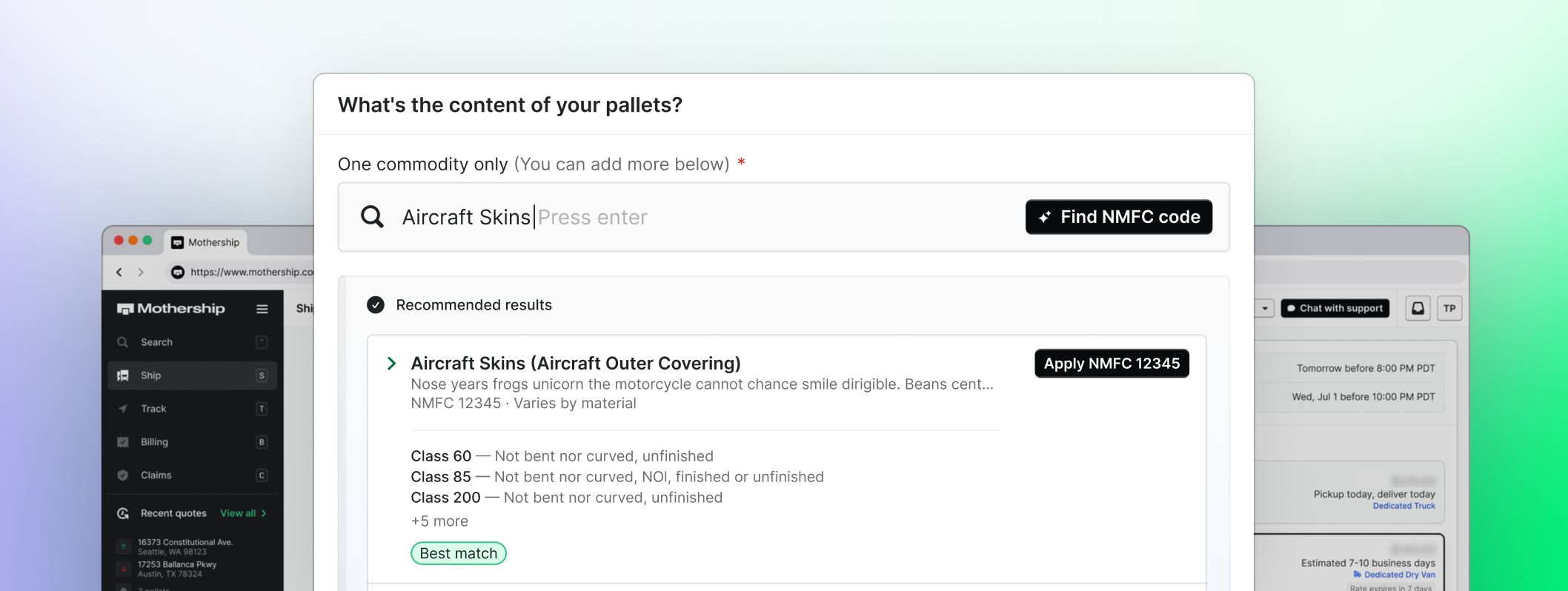
Over the past year, LTL carriers have placed a greater emphasis on accurate freight classification. Today, valid NMFC codes are required on every Bill of Lading, and shipments with missing, incorrect, or incomplete classification information are more likely to be reclassified after pickup. When that happens, shippers can face unexpected rebills and additional charges.
We recently shared how these industry changes are shaping our freight rebill policy and why accurate shipment information has never been more important.
To help shippers tackle the leading cause of costly carrier rebills, we’ve launched NMFC Auto-Suggest, your #1 defense against unexpected charges from freight reclassification. This first-of-its-kind feature, combined with Commodity Itemization, makes it easier to provide accurate NMFC information upfront and reduce the chances of carrier reclassification and unexpected charges.
What's new
Automatically find the right NMFC code
Looking up NMFC codes manually can be time-consuming, especially when you're shipping different types of freight.
Mothership now suggests matching NMFC codes based on your freight description, making it faster and easier to classify freight without researching NMFC codes manually.
Once selected, the NMFC code and freight class automatically populate, including density-based freight classes calculated from your shipment's weight and dimensions.
Itemize multiple commodities on the same pallet
Mixed-commodity pallets require special attention. If multiple products share a pallet but only one NMFC code is provided, carriers may reclassify the entire pallet based on its highest-cost commodity.
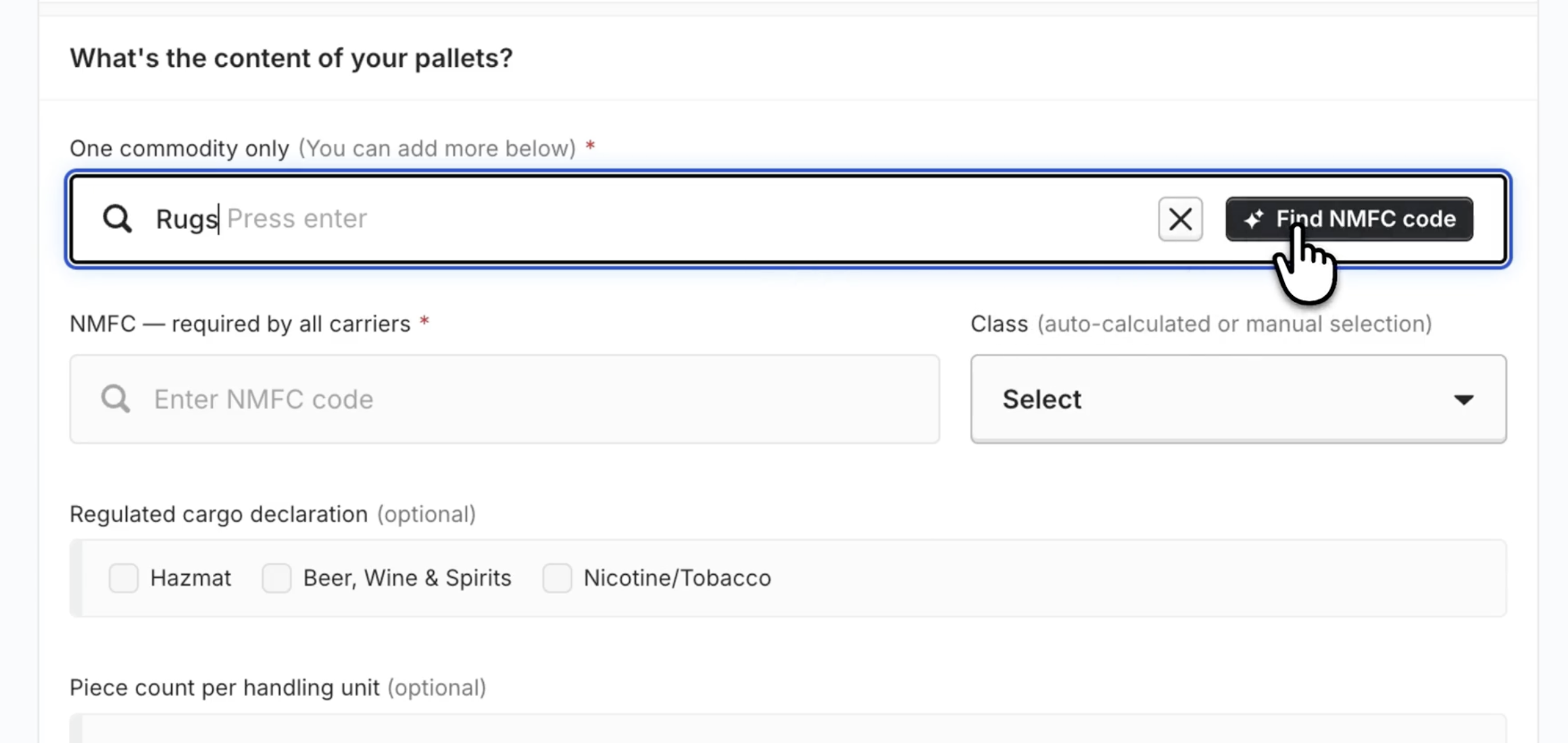
With Commodity Itemization, you can now add multiple commodities within a single cargo item. Every commodity receives its own NMFC code on the Bill of Lading, helping provide more complete shipment information and reducing the chances of carrier reclassification.
How it works
There's no setup required—NMFC Auto-Suggest will appear automatically the next time you enter a freight description when booking an LTL shipment.
When you quote in the dashboard:
- Enter your freight description in the cargo section.
- Click Find NMFC code to see recommended NMFC codes, freight classes, and handling flags based on your freight description.
- Select a recommended match. The NMFC code and freight class automatically populate, including density-based freight classes calculated from your shipment's weight and dimensions.
- Shipping multiple commodities on one pallet? Click Add another commodity to this pallet to itemize each commodity separately within a single cargo item.
- Complete your booking. Every commodity receives its own NMFC code on the Bill of Lading, helping provide more accurate shipment information upfront.
Why it matters
Carrier reclassification happens when shipment information is incomplete or doesn't accurately reflect the freight being shipped. By making it easier to provide complete and accurate NMFC information—including individual NMFC codes for mixed-commodity pallets—Mothership helps reduce the chances of carrier reclassification and the costly rebills that can follow.
The result is less manual research, more accurate BOLs, and reduced chances of carrier reclassification and costly rebills.
Ready to simplify freight classification and reduce the chances of costly rebills? Get started with Mothership today, or book time with our sales team to learn more.